
Case studies
Why Real Estate Agents Lose Leads on Instagram
Carter Long was posting home tours that got millions of views and still couldn't find a lead in her pipeline. Here's the leak she found, and what she built to fix it.
 Your Home PageJune 9, 20266 min read
You posted a carousel of the new listing on 42nd. 821 views. 12 saves. Four comments asking if it's still available. You DMed them the Zillow link. Three went cold. One ghosted mid-conversation about a showing.
This is the broken Instagram-to-MLS loop almost every agent is running. Content lives on Instagram. Listings live on the MLS. No bridge between them. Leads fall through the cracks.
This post helps you fix that — a step-by-step guide for wiring Instagram posts directly to MLS listings using a social-to-MLS link tool, so every post you publish has a clean, trackable path from tap to inquiry.
Three things need to be in place before the steps make sense:
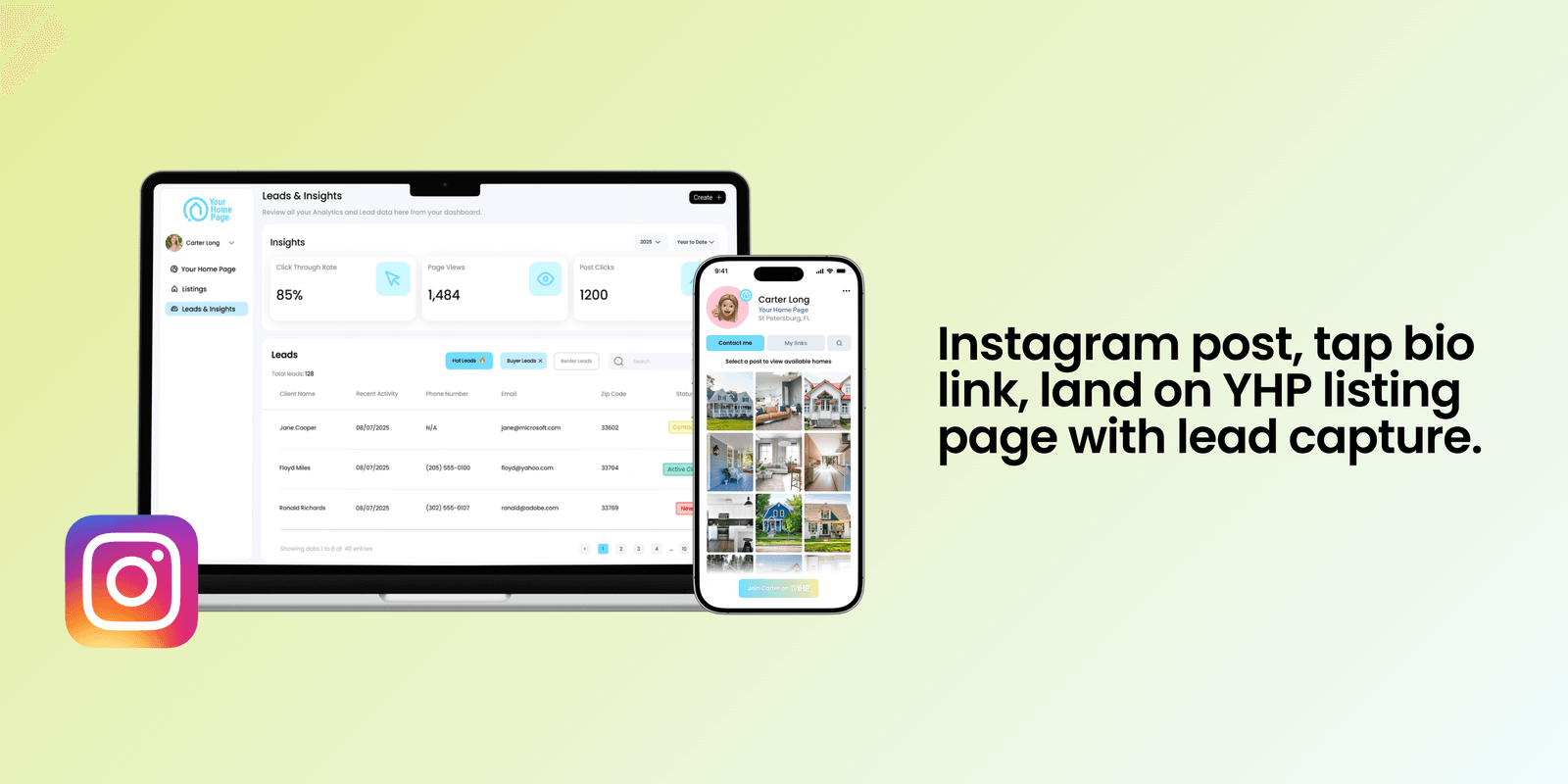
That's the stack. Now the steps.
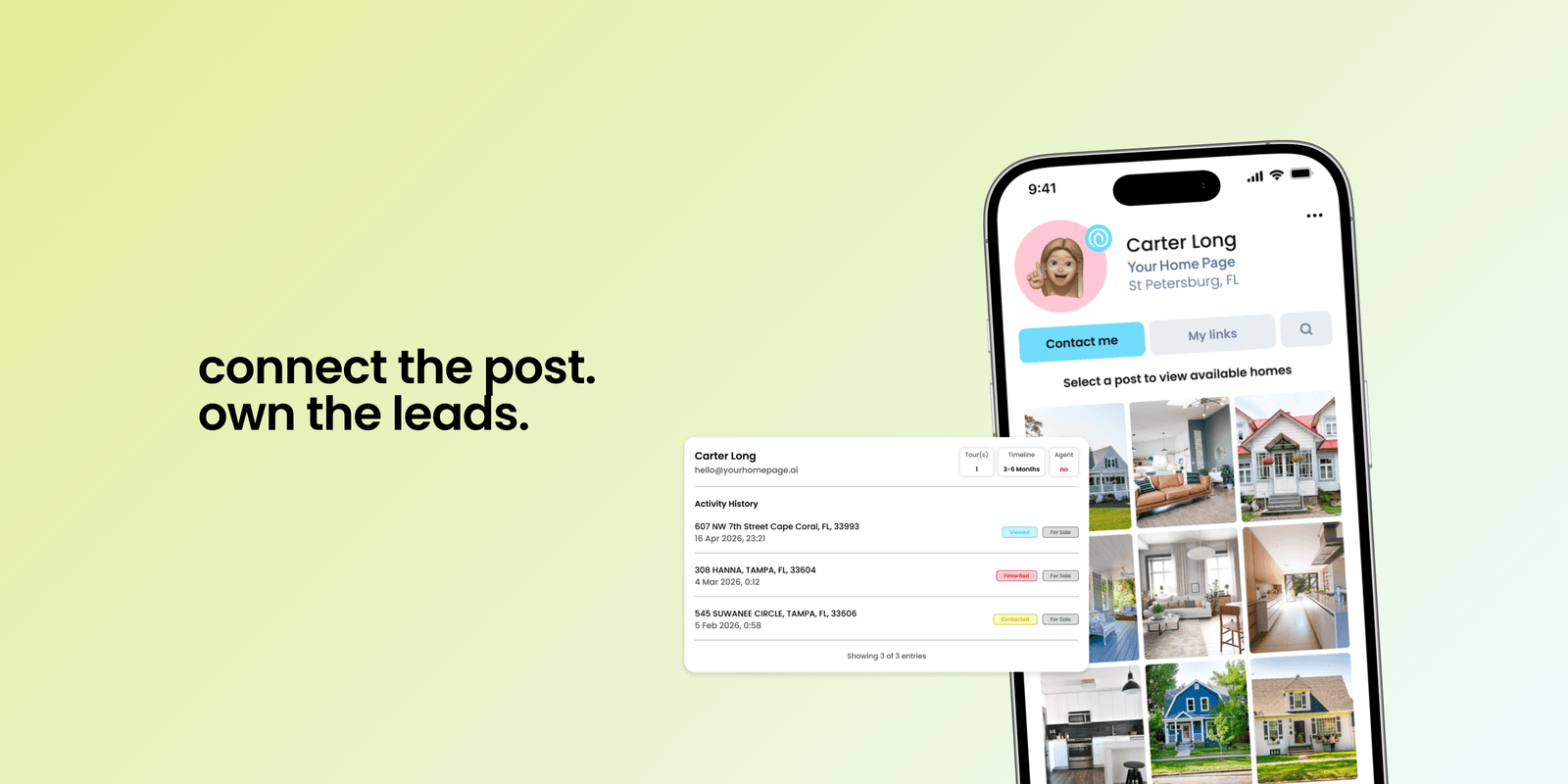
Your page now functions as a mini property search site with your name next to every listing. Every listing gets its own URL inside your brand.
Check the phone preview on the left — every connected post now routes to a real, live listing.
I was sending buyers to Zillow in my DMs because I didn't know there was a better option. the first week I switched, three of those conversations turned into showings.
— Maya R., agent, Tampa BayWhile you're there, rewrite your bio so it tells the viewer what's waiting on the other side. Something direct: "Tampa Bay agent. Click my link to see available homes." One clear CTA. No emoji soup.
Two approaches, both work:
Simple: point every caption at your yhp.link. Buyers land on your home grid, see the posts connected to listings, and tap the one they want. Great for showing off an area or multiple listings at once.
Higher-conversion: for your best-performing posts — the reels with 10K+ views, the carousels everyone's saving — turn on a DM automation that sends viewers straight to the specific listing. That's Step 6.
Generic link-in-bio tools ask the buyer to click a button, leave the platform, visit Zillow or your IDX site, and maybe fill out a contact form along the way. Most leads bounce before they reach the form.
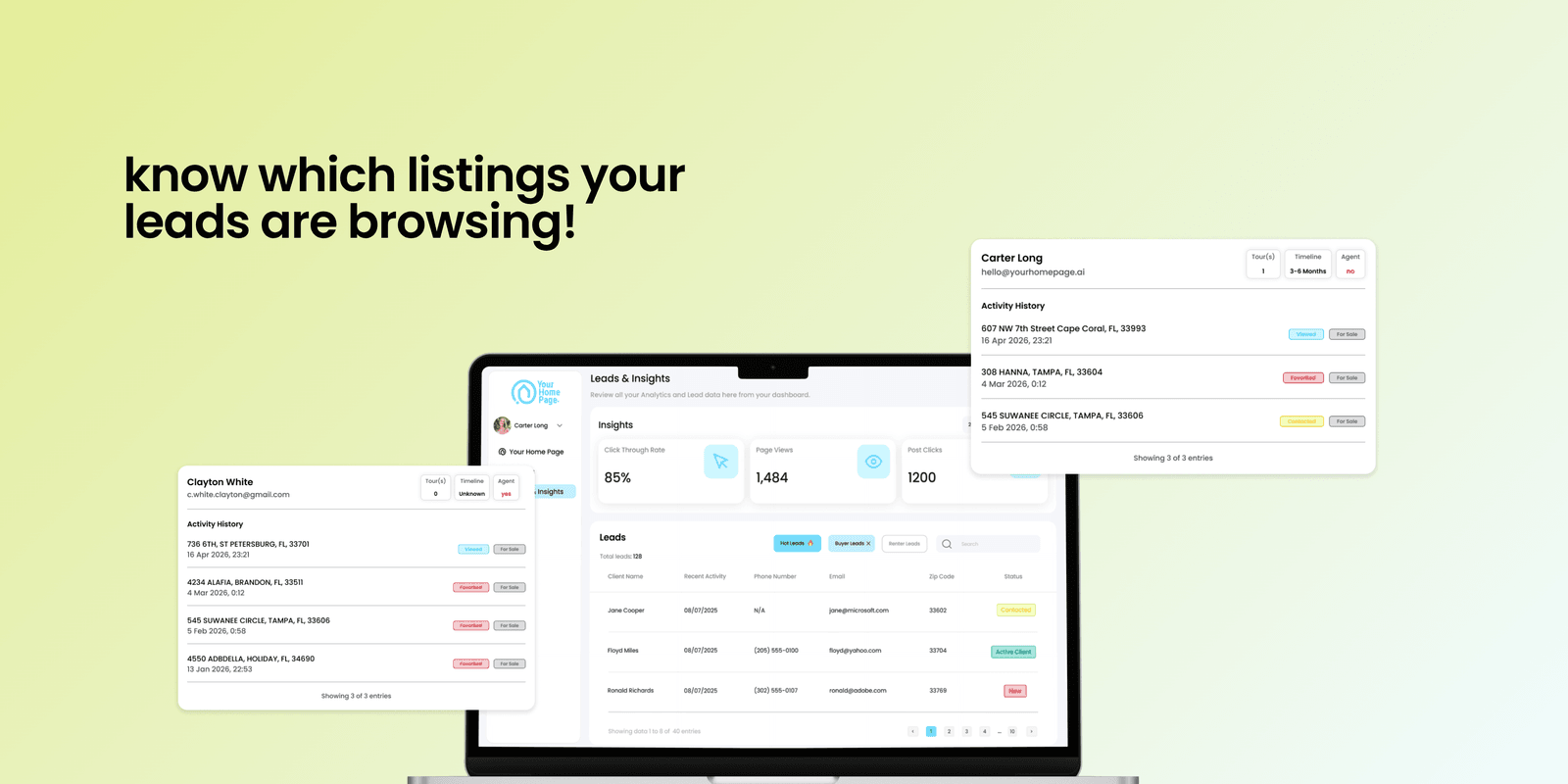
A real social-to-MLS tool captures the lead inside the listing page itself. On Your Home Page, buyers unlock details to become a warm lead and can click "Contact Me" or "Schedule a Tour" to become a hot one. These leads land straight in your Leads & Insights dashboard — no forms, no friction, no Zillow.
When someone comments a keyword on your video, YHP sends them your `yhp.link` or the exact listing page automatically — 24/7, without you watching your DMs.
Keep keywords short and easy to type: `HOME`, `TOUR`, `LINK`, `INFO`.
Claim your yhp.link, connect Instagram, wire your posts to listings, and turn on DM automations — the whole setup takes about 15 minutes. Your next post can be the first one that lands in your pipeline.
Mistake 1: Pointing your bio link at Zillow. You did the content work. You earned the view. Don't send the lead to a portal that will resell it to another agent. The click belongs in your pipeline, not theirs.
Mistake 2: Using a link that gives you no insights. Without tracking, you can't prove which Instagram posts produced real closings. You'll either overestimate or underestimate the channel — and both are expensive mistakes. Lead tracking is non-negotiable.

